Klyvenorixora
Halo Module
Halo Module
Couldn't load pickup availability
- ♾️ Digital file available after purchase
- 🗂️ Long-term availability
- 🛡️ Secure checkout
- 🗓️ Content updated in 2026
Self-paced learning overview
Problem Statement
As OpenClaw workflows grow into connected systems, learners may find that building the main process is only part of the work. A workflow must also respond clearly when information is incomplete, a condition is not met, or an action produces an unexpected result.
Without planned response routes, a small issue can interrupt an entire process. Learners may have difficulty identifying where the issue began, which information was affected, and whether the workflow can continue safely. Error handling may be added only after a problem appears, creating crowded branches and inconsistent behavior.
Solution
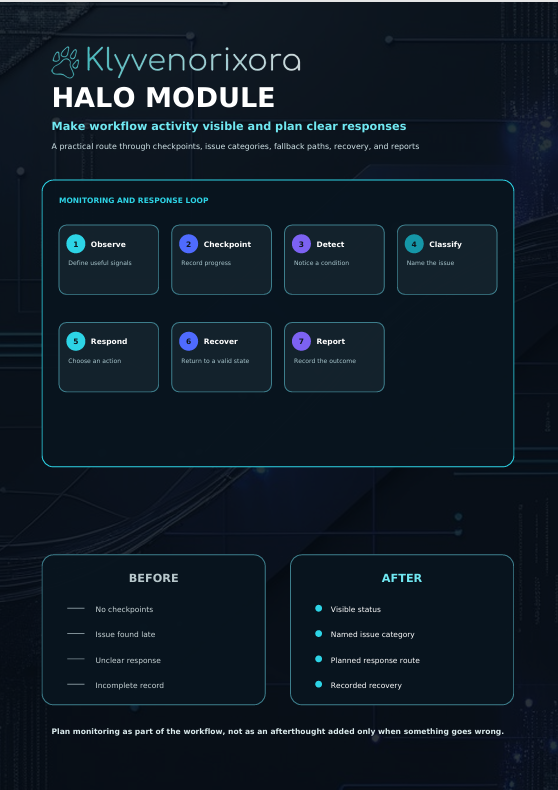
The Halo Module introduces structured methods for monitoring workflow activity, responding to unexpected conditions, and planning recovery routes.
Learners study how to identify areas where issues are likely to appear and place suitable checks before those issues affect later stages. The course explains how to create fallback actions, define interruption conditions, and document what should happen when a workflow cannot continue normally.
What’s Inside
The Halo Module includes detailed lessons, monitoring plans, fallback-route diagrams, troubleshooting exercises, review worksheets, and guided workflow examples.
Learners examine common issue categories, including missing inputs, incorrect formats, unavailable information, failed conditions, and incomplete outputs. Each category is paired with planning questions that help learners choose a suitable response.
Practical activities guide learners through reviewing a workflow, identifying vulnerable stages, and designing clear response routes.
Who Is This For?
The Halo Module is intended for intermediate learners who can design connected workflows with multiple stages, variables, conditions, and validation points.
It is suitable for users who want to improve workflow stability, review process behavior more clearly, and prepare structured responses for unexpected situations.
What You’ll Learn
- Identify stages where workflow issues may appear
- Classify common input, condition, and output problems
- Add checkpoints at suitable workflow stages
- Plan fallback actions for unexpected conditions
- Define when a workflow should pause or stop
- Create structured retry routes
- Record workflow status and activity
- Trace an issue back to its starting point
- Separate monitoring steps from core actions
- Document recovery decisions clearly
- Review incomplete workflow runs
- Improve troubleshooting through organized records
- Create completion and interruption reports
- Refine response routes without unnecessary complexity
Guarantee
Klyvenorixora provides a 30-day money-back policy for this paid course tier.
Refund requests are reviewed according to the conditions displayed at the time of purchase. This review period allows learners to examine the included materials and determine whether the course fits their current learning needs.
Certification
The course include a certificate of completion, giving learners a clear way to confirm their progress and showcase their achievement.
Share
What format do the course materials use?
What format do the course materials use?
Each tier contains structured lessons, guided explanations, practical examples, and learning activities. The materials are arranged in a clear order so learners can move through the topics at a comfortable pace.
Do I need previous OpenClaw knowledge?
Do I need previous OpenClaw knowledge?
The required background depends on the selected tier. Earlier tiers introduce foundational ideas, while later tiers explore more detailed workflows and applications. Each description explains the intended learner level.
What type of support is available?
What type of support is available?
Learners may contact the Klyvenorixora team with questions about course materials, order details, or general study guidance. Support is intended to clarify the learning process and help users navigate the available resources.